
All app subscribers have the ability to manually send emails. You can manually send a reminder via the booking page, or from the Runsheet report.
🔔 Sending Individual Reminders
1️⃣ From the Overview Calendar, click on the booking,
or open it from the Runsheet Report by selecting the Booking number.
2️⃣ Confirm there’s a valid email address (or phone number if sending via SMS).
3️⃣ At the top of the booking page, select
More Actions ▸ Send Reminder ▸ choose the reminder type you want to send.
🧾 The customer will then receive a booking notification.
💡 Note: SMS reminders are available only for Premium and higher-tier subscribers.
📦 Sending Bulk Reminders
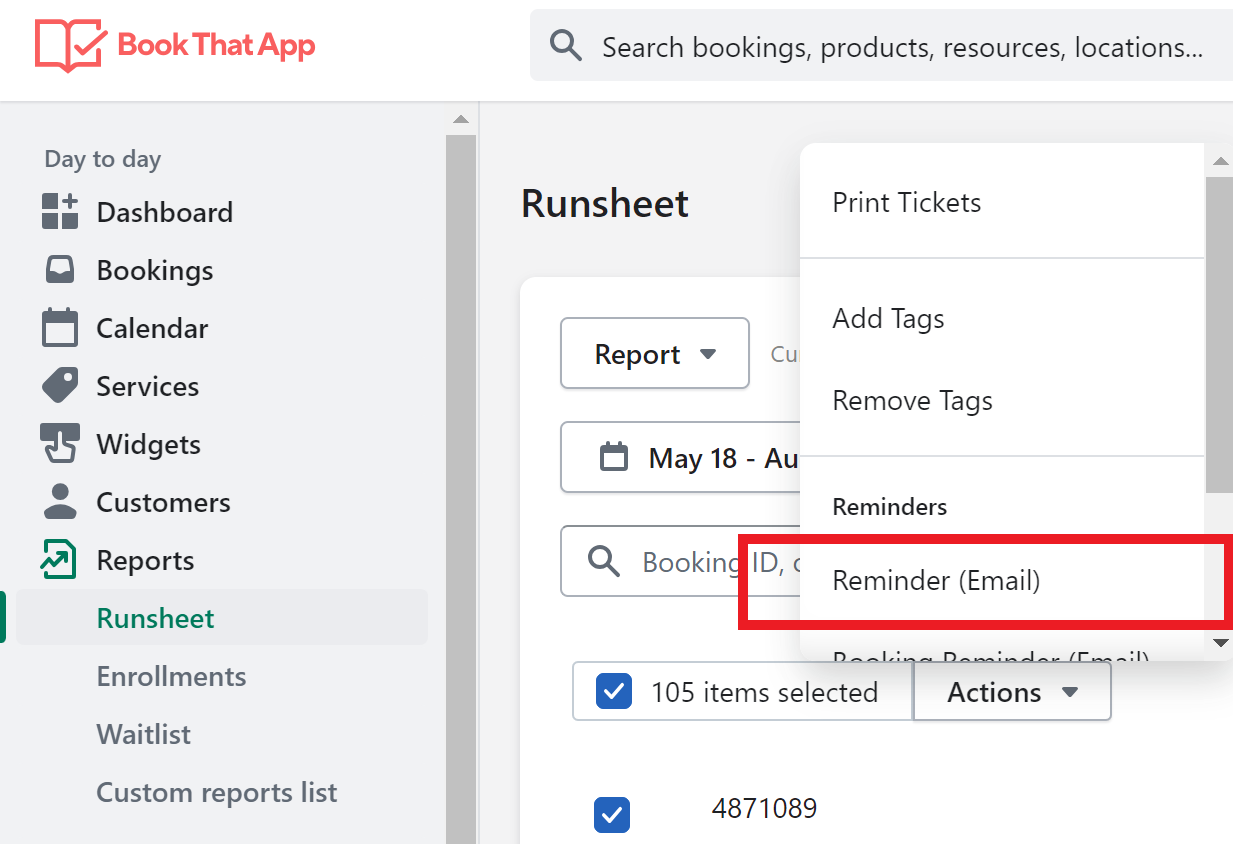
1️⃣ Go to the Bookings or Reports → Runsheet section in the app.
2️⃣ Apply the desired date range and filters to display the bookings you want.
3️⃣ Select the checkbox in the upper-left corner to choose all bookings,
or manually select individual ones.
4️⃣ Click the Actions ▸ dropdown and choose the reminder type to send.
🧪 How to Test Notifications Before Going Live
Before sending reminders to real customers, it's worth testing your notification templates to make sure the content, time zone, and links all look right.
- Create a test booking using your own details (name, email, phone number).
- Go to Settings → Notifications and open the template you want to check.
- Click Preview. BTA will render the template using your most recent booking's details — so you'll see exactly what your customer would receive.
- Repeat for each reminder type you plan to use (e.g. booking confirmation, 24-hour reminder, follow-up) since each pulls from a separate template.
Note: The preview always pulls from the latest booking, so make sure your test booking is the most recent one before clicking preview.
💡 Tip
To save time, set up automatic reminders for common events (like upcoming bookings or follow-ups). This ensures your customers always stay informed — without the need to send each message manually.
Comments
0 comments
Please sign in to leave a comment.